
Beta users: 2 years free at launch.T&Cs apply
Know who to call next, who owes you, and what you earned this month.
The operating system for solopreneurs. Clients, leads, invoices and your calendar in one app on your phone, in the words of your profession, and stored on your device, not on our servers.
Pick your profession
No cloud account. No subscription. No analytics.
Most solopreneurs run their business on borrowed tools.
A spreadsheet, a notes app, or a sales CRM made for teams. None of them were built for one professional running the whole business.
Your clients live in a spreadsheet, and a spreadsheet never reminds you of anything. Follow-ups slip and quiet clients stay quiet.
ClientOS puts overdue alerts, a recent-activity feed and a pipeline board on the first screen, so the next person to call is already in front of you.
Your clients' details sit on someone else's server, under terms you did not write and cannot inspect.
ClientOS has no server. It makes zero network calls, keeps your client data on your device, with sensitive details encrypted (on Android, the whole database), and any backup goes to your own iCloud Drive or a folder you choose.
Your profession's words are not a sales team's words. You track cases, visits or sessions, not deals and opportunities.
Pick your profession at setup and the labels, dashboard, pipeline, reports and lessons all change to match. Rename anything that still does not fit.
Admin eats the evenings. Invoices, notes and month-end figures wait until the working day is over.
Branded invoice and statement PDFs, a payment ledger, voice notes kept with the client (transcribed on the device, on Android 13 or later on Android) and ready-made reports do the paperwork in minutes.
It speaks the language of your practice.
Pick your role at setup and ClientOS re-skins itself: the words on every screen, the sample data, the dashboard, the pipeline, the reports and the lessons. Run a different kind of business? Start with Consultant.
Financial Planner
Independent financial planners and brokers who place insurance and investment products and live on commission.
You track submitted business, paid by commission and premiums.
See how it works for planners
Lawyer
Solo and small-practice lawyers who handle their own intake, matters and billing.
You track cases, paid by billable hours at an hourly rate.
See how it works for lawyers
Doctor
Private-practice doctors and specialists who bill per visit and run their own patient list.
You track visits, paid by a fee per visit.
See how it works for doctors
Therapist or Wellness Pro
Therapists, counsellors, coaches and wellness practitioners who see the same clients week after week.
You track sessions, paid by a fee per session.
See how it works for therapists
Freelance Consultant
Independent consultants and freelancers who sell expertise through proposals and scoped projects.
You track engagements, paid by a project fee.
See how it works for consultants
See your practice on one screen.
The screens you will use every day, from the first lead to the final invoice.
Pick your role
Choose your profession at setup and the whole app re-tunes itself: vocabulary, sample data, dashboard, pipeline, reports and lessons.
One place for the whole business of your practice.
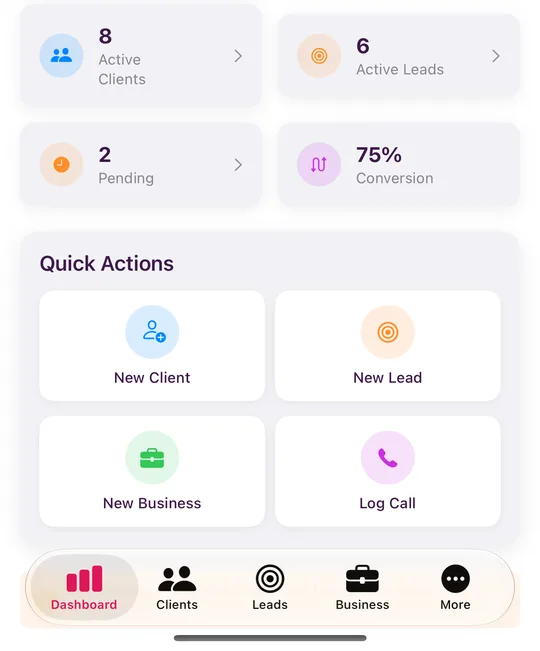
Role-aware dashboard
The numbers and quick actions that matter to your profession, with an on-device lead-source insight.
Clients, imported in minutes
Custom fields, status chips, and import from a CSV file.
- A spreadsheet saved as CSV
- A CSV export from your old system
- Added by hand, one at a time
Customisable pipeline
Sensible default stages per role that you can rename and reorder.
- 1New
- 2Contacted
- 3Meeting Scheduled
- 4Proposal Sent
- 5Negotiating
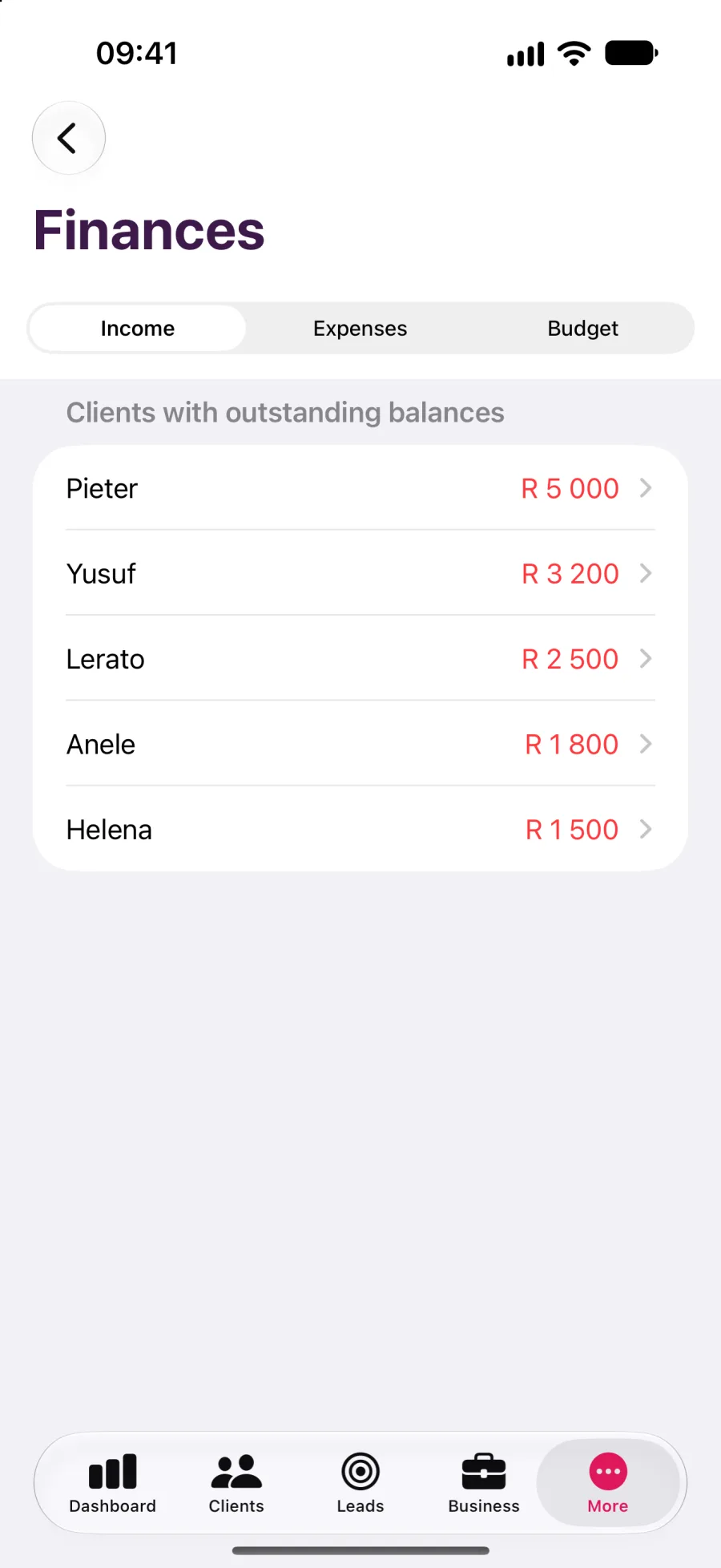
Invoices and statements
Branded PDFs, a payment ledger, expenses and an on-device budgeting insight.
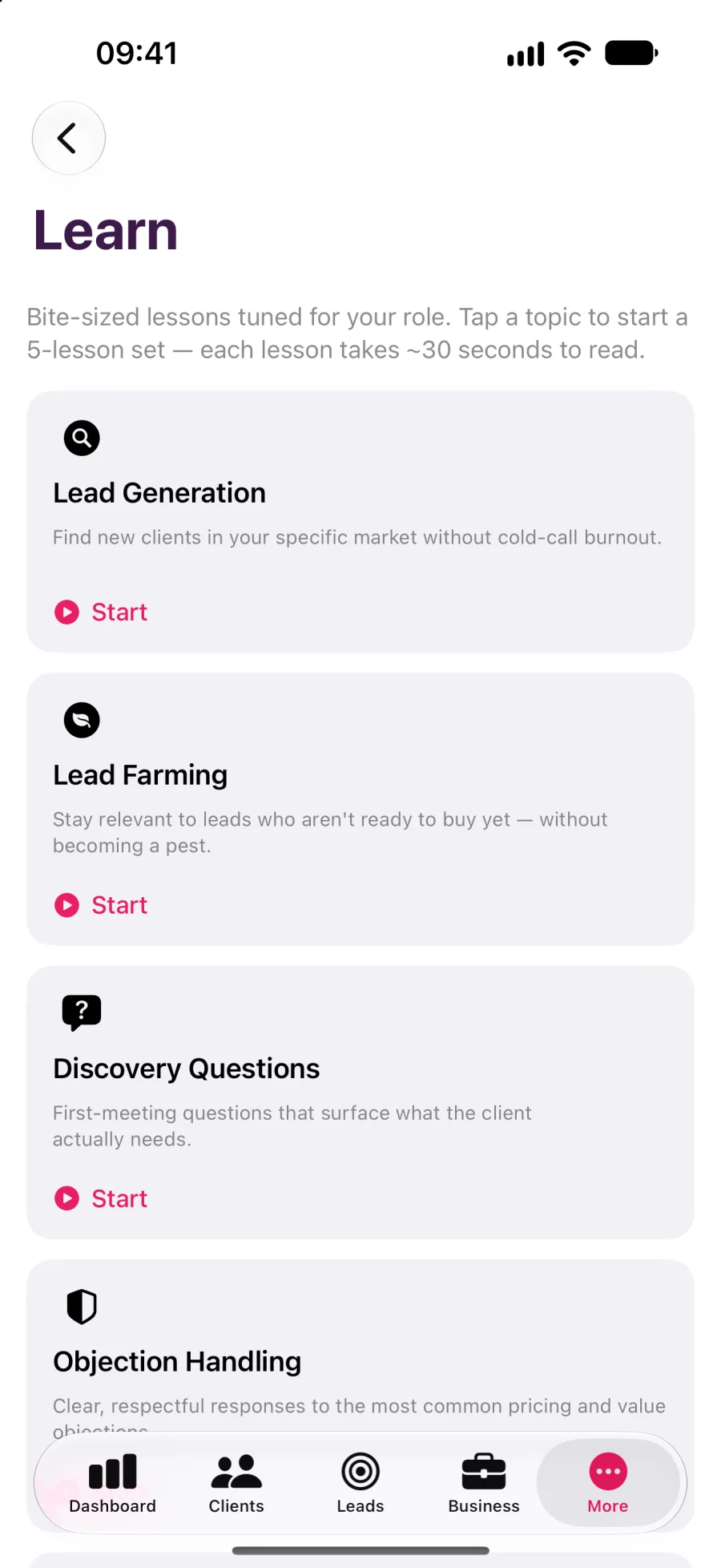
Learn tab
Bite-sized, profession-specific lessons behind a five-layer safety check.
Calendar sync
Optional sync with your device's calendar, linked to the client or lead.
Voice logging
Log a call or visit by speaking. Transcribed on your iPhone or iPad, or on Android 13 and later.
Your words, your catalogue
Rename any label and edit the service catalogue to suit your practice.
Encrypted backup and export
Encrypted backups to your own iCloud Drive or, on Android, a folder you choose. Plus CSV and PDF export.
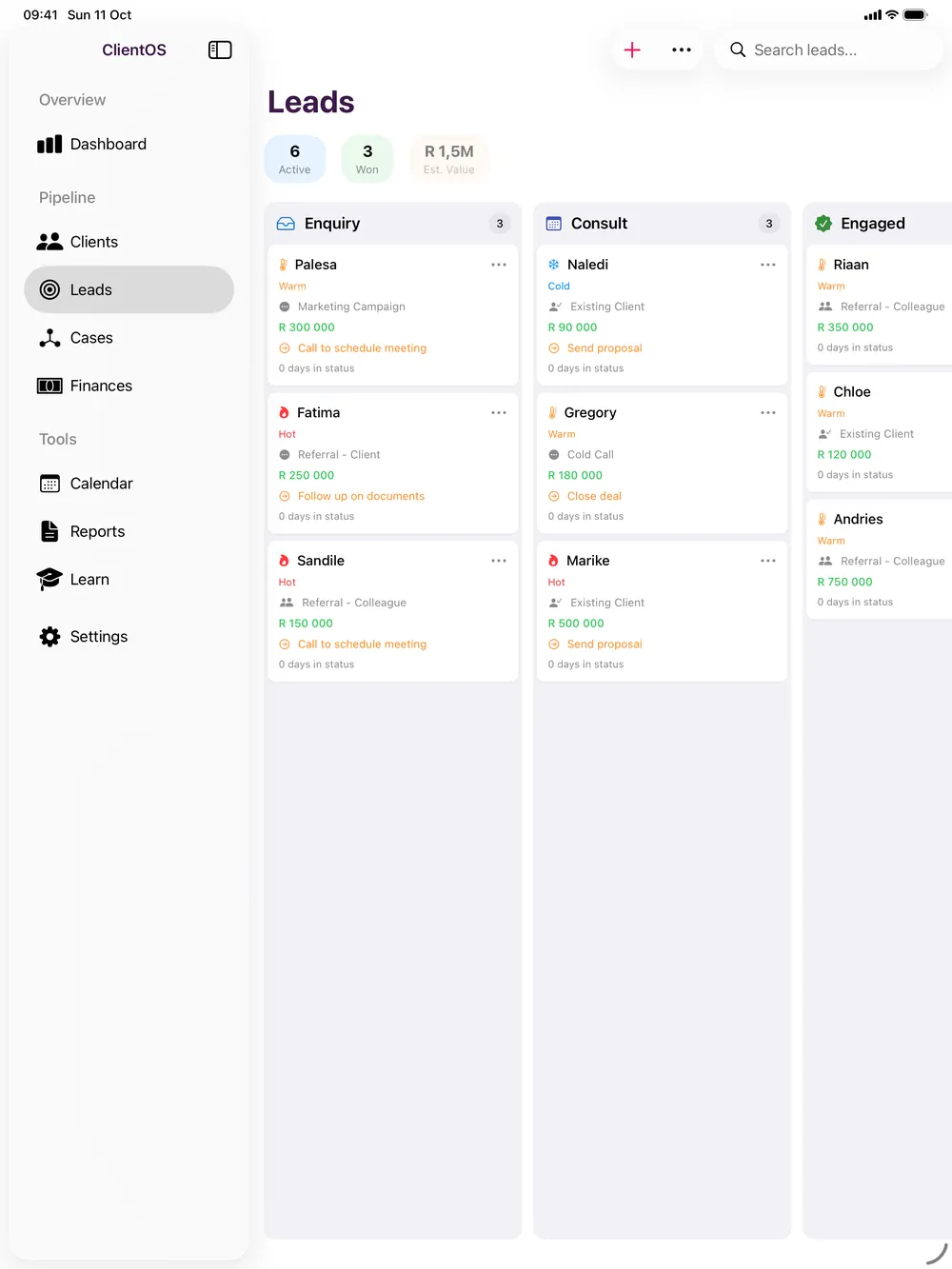
iPhone or Android in your pocket, iPad on the desk.
iPhone
Quick capture between appointments, and voice notes after a call.
iPad
A sidebar layout designed for the larger screen, not a stretched phone.
Android
ClientOS on Android phones and tablets, Android 8.0 or later.
Mac
Mac coming soon. Tick the Mac box when you join the beta to hear first.
Your clients trusted you. Your tools should deserve it.
There is no ClientOS server, and the app sends nothing to us. This is how that is enforced, not just promised.
Sensitive details encrypted on iPhone and iPad, the whole database encrypted on Android
- Your password
- PBKDF2, 600,000 iterations
- Encryption key
Face ID or Touch ID tied to the iOS keychain. Fingerprint or face unlock tied to the Android Keystore
Plus a printable recovery key, so a forgotten password never loses your book.
Zero network calls. Works fully offline
Switch on aeroplane mode: every feature still works.
No analytics, no telemetry, no third-party SDKs
Nothing in the app reports back to us.
Encrypted backups go to your own iCloud Drive or a folder you choose, never to us
- Your device
- Encrypted backup file
- Your iCloud Drive or a folder you choose
Backups never pass through us.
Try it free in the beta.
Leave your name and email and we will send a free invitation: TestFlight for iPhone and iPad, Google Play testing for Android. Sample data is included, so you can see how it works for your profession before you add a single client.
- Five professions
- iPhone, iPad and Android
- Mac coming soon
- Works offline
Frequently asked questions
No. ClientOS makes no network calls. Your records are stored on your device. On iPhone and iPad, sensitive details such as ID numbers are encrypted with AES-256-GCM and the rest relies on iOS Data Protection. On Android the whole database is encrypted. Backups go where you choose: your own iCloud Drive on iPhone and iPad, or a folder you pick on Android, such as Google Drive. Neither is ours. Calendar sync writes events to your device's calendar. We do not have a server.